For expert network admins
Set up your network, invite medical experts, and understand how credentials and payouts work for affiliated members.
What you'll do
By the end of this page, you'll have your expert-network workspace set up and your first experts invited and onboarding.
Before you start
- A network name and brand (you can refine this on the profile step).
- A list of experts to invite — emails are required, NPI numbers are helpful.
Step-by-step
-
Sign up or sign in with your work email (or continue with LinkedIn), then confirm the verification email.
-
Get your network provisioned. Expert-network workspaces aren't self-serve — on the role screen ("How will you use Kalivar?"), use the Contact us for volume pricing link, or talk to your account manager, to have your network set up.
Networks are set up with our team
The self-serve role gate only covers solo attorneys and individual experts. Expert-network and law-firm workspaces are set up with the Kalivar account team. Your account manager will confirm when you're ready to sign in.
-
Once your network workspace is ready, open it from the organization switcher and complete the network profile: name, the medical specialties your roster covers, and a public network bio that appears as context on each affiliated expert's profile.
-
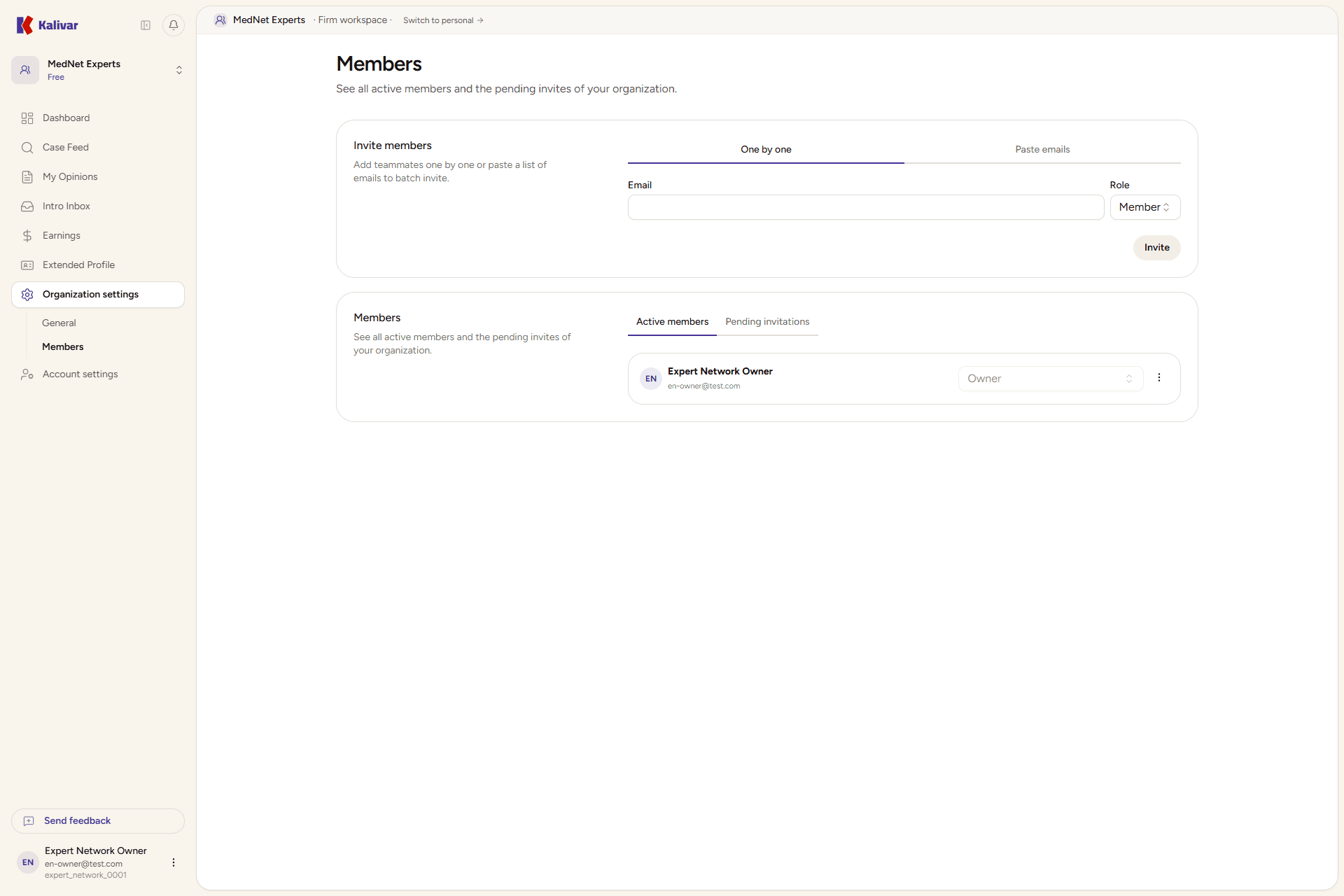
Invite experts from Settings → Members under your network. Enter each expert's email; they'll receive an invitation link.
-
Experts complete their own onboarding. After accepting the invite they choose I'm a medical expert at the gate, verify their NPI, and confirm specialties — none of this is done on their behalf. Each expert also connects their own payout method on their Earnings page; the network does not configure payout routing on their behalf, and there is no network-level payout aggregation. See Managing an expert network for the full payout model.
How networks earn
Expert networks don't pay subscription fees — medical experts and the network earn from completed opinions and introductions. See Managing an expert network.
Tips
- Invite specialists in batches by specialty for cleaner roster organization and faster onboarding QA.
- Networks see roster-wide earnings on the org dashboard — useful for forecasting and expert retention conversations.
- Experts can leave a network without losing past earnings history; their submitted opinions and payouts stay intact.