Requesting introductions
Send a direct introduction request to a medical expert for cases that need conversation, not just a written opinion.
What you'll do
By the end of this page, you'll know how to find an expert, send an introduction request, and walk the request through to completion.
Before you start
- An active plan or PAYG balance covering introductions.
- A payment method on file — introductions charge off-session when the expert accepts.
- The defendant name(s) for the case, ready to type in. They're required for the expert's conflict check.
Identities stay private until acceptance
Expert profiles are anonymous in the browse grid. The expert's real name and contact details are revealed only after the introduction is accepted (and paid). Don't expect to know who you're talking to before that point.
Step-by-step
-
Open Experts from the sidebar to browse available experts.
-
Use the grid to scan by specialty, region, response rate, and Opinion Quality. Filter or sort to narrow the list.
-
Open an expert's profile to read their public detail. While the introduction is unaccepted you'll see the anonymous handle, general specialty, region, and aggregated quality signals — not the expert's name or direct contact.
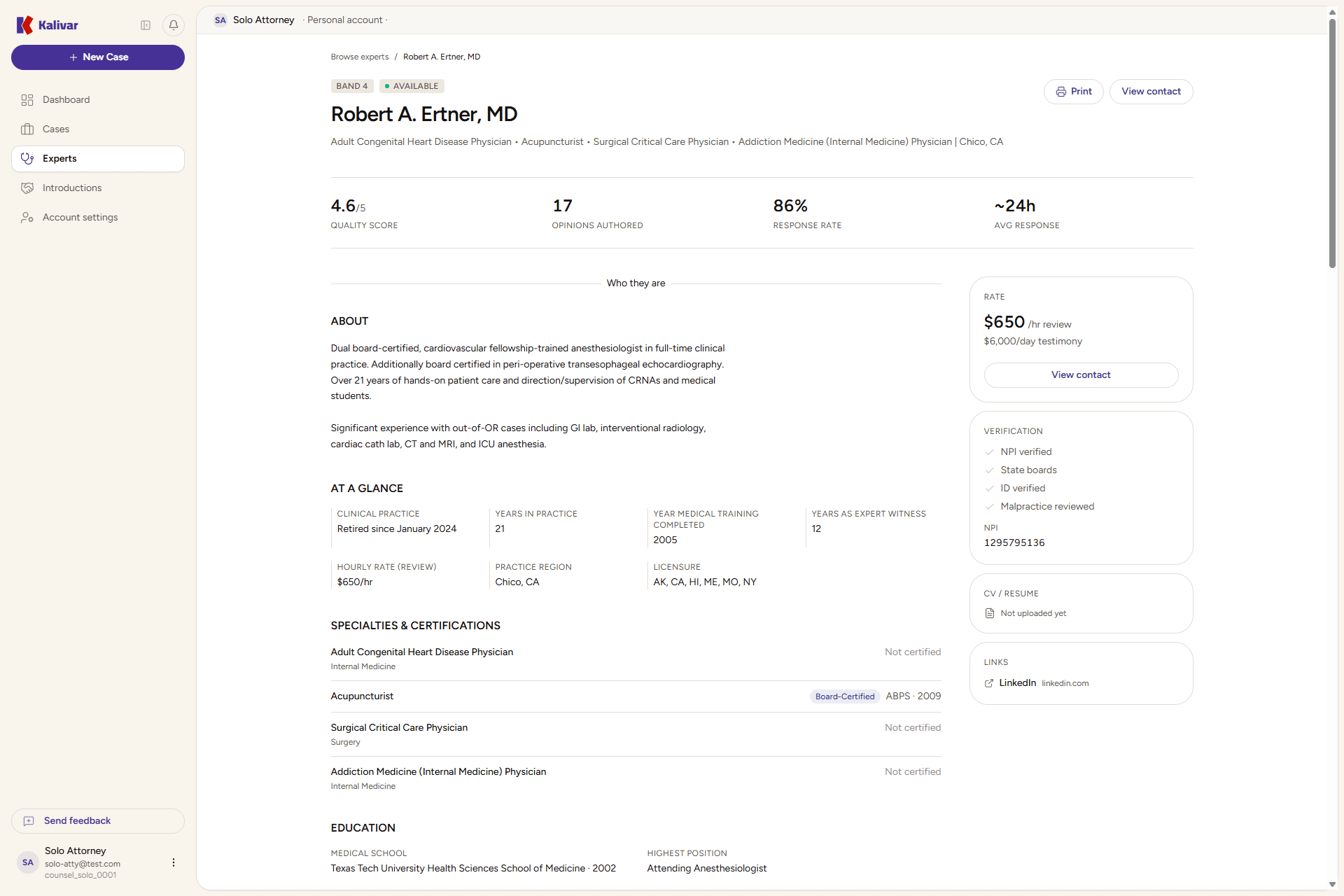
-
Click Request introduction on the profile (or from an opinion's review card on a closed case).
-
Fill the request form:
- Phone and Ext. — the contact number you want shared with the expert on acceptance. Pre-filled from your account; edit if needed.
- Defendant name(s) (required) — used for the expert's conflict check. Separate multiple defendants with commas.
- Notes for the expert (optional) — short context to help the expert decide.
The charge preview shows the introduction fee before you send. No charge happens at this step.
-
Send the request. The introduction status becomes Requested.
-
The expert reviews the request. Two outcomes from there:
- Accepted — the expert confirms no conflict and accepts. The attorney's payment method is charged off-session at acceptance, and the expert's identity and contact are revealed to you on this case.
- Conflict declared or Declined — the expert opts out. No charge is made.
-
With an accepted introduction in hand, the conversation happens off-platform. When you and the expert are done, mark the introduction Completed to close the loop.
Tips
- Declare conflicts truthfully — defendant names drive the expert's conflict check, and a missed conflict can void the introduction later.
- Introductions are charged separately from case opinions, with the fee shown in the preview before you send.
- Declined and conflict-declared introductions are not charged.
- If you've already been introduced to an expert on a previous case, a follow-up case-link request rides on that paid relationship at no additional charge — the expert still confirms no conflict on the new case before identity is revealed there.
- Use the timeline on the introduction record to track status changes.